 Kingdom 1904Home
Step 1 of 4
Your player
Enter your Player ID. We will fill in your details.Confirm your player, then continue.
Find your Player ID
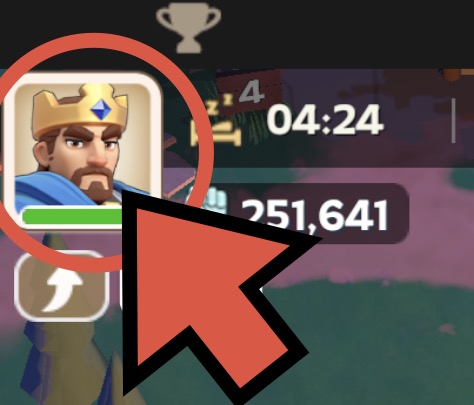
- Tap your profile picture at the top left in game.
- Tap the copy button beside ID, then paste it above.
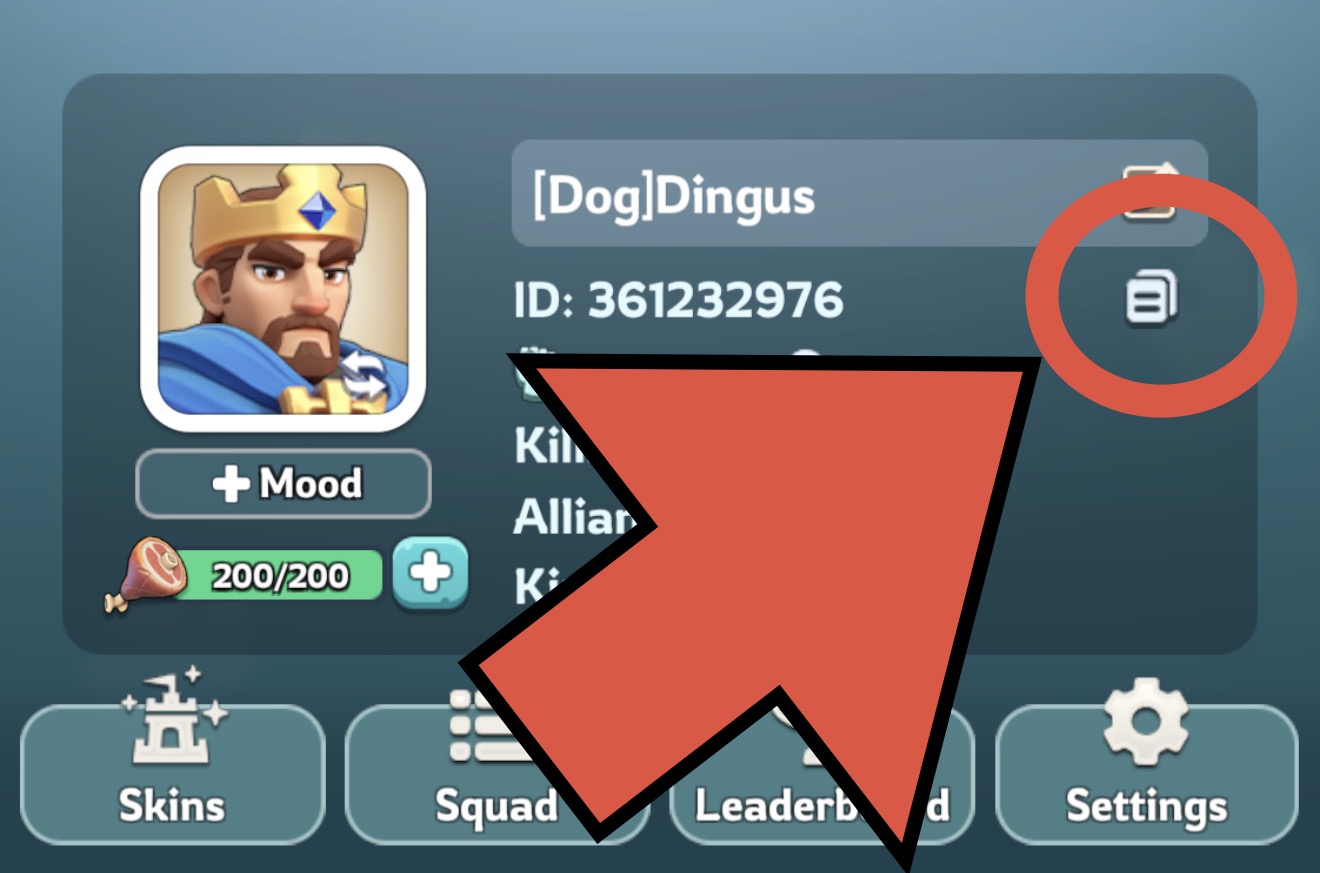
Example profile shown. Copy your own ID.
· Town Center
Showing your last saved profile. Live lookup is temporarily unavailable.
Edit details
Help with Town Center levels
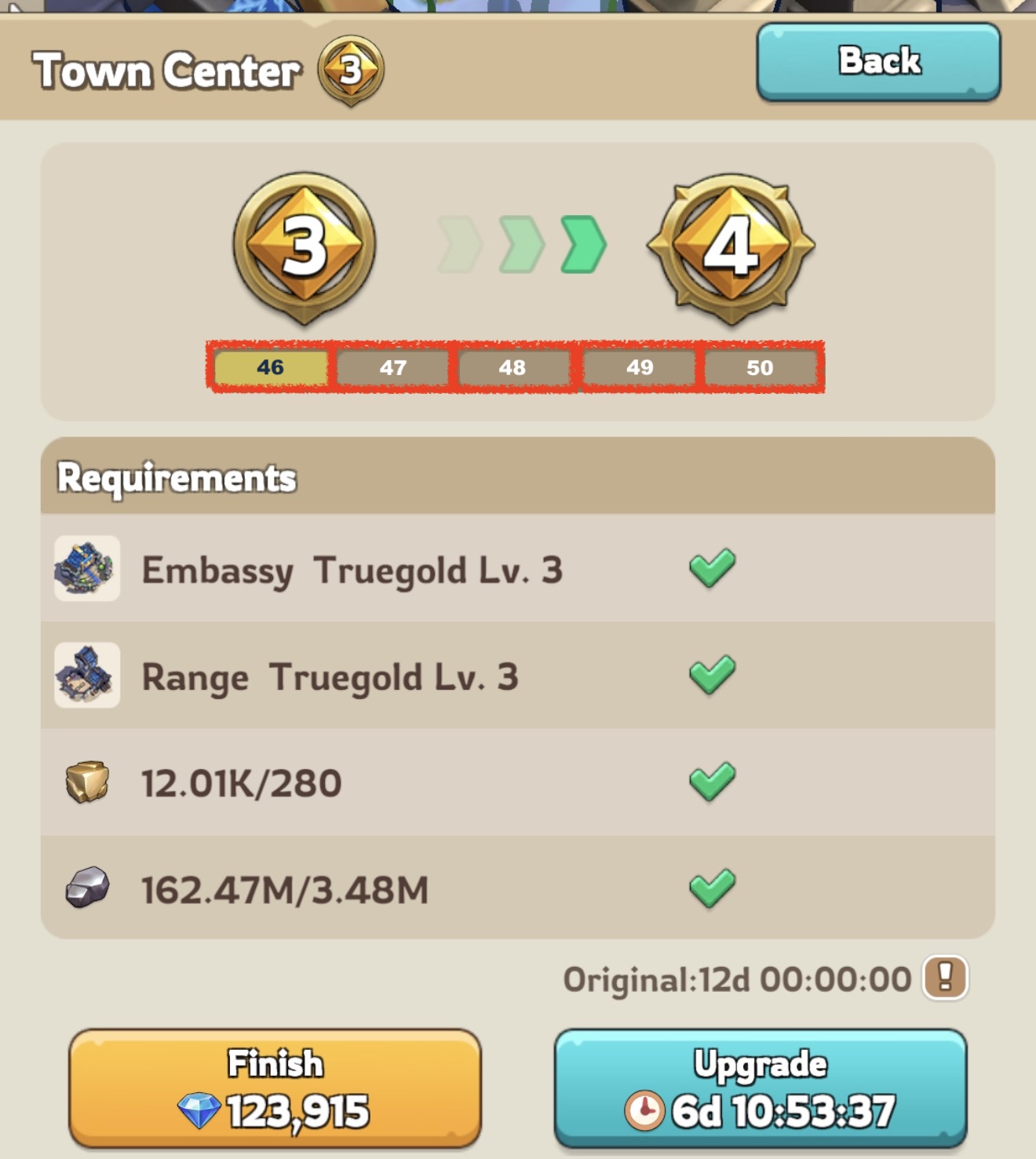
Town Center 30 comes before Truegold. Each tier has five pieces, each worth one level.
TC = 30 + 5 x completed tier + pieces into the next tier
| TG1 | TG2 | TG3 | TG4 | TG5 |
|---|---|---|---|---|
| 35 | 40 | 45 | 50 | 55 |
The badge shows your finished tier. Count only solid segments toward the next tier. A flashing segment is not finished.
Each account has its own resources and times. Your main profile stays selected.
You are editing this linked account. Your main profile stays selected.
Return on any device with your Player ID to change your signup.
Change your times below and send again. Deselect a day to cancel just that day.Your sign-up is withdrawn. Send your times again if you change your mind.
Which days do you need?
Choose every day you want an appointment. We will ask for your available times one day at a time.
To cancel a day from an existing signup, deselect it here and submit your changes.
Your speedups
Enter the speedups in your backpack. Put 0 if you have none. Each day only counts the types it can use.
Where do I find this?
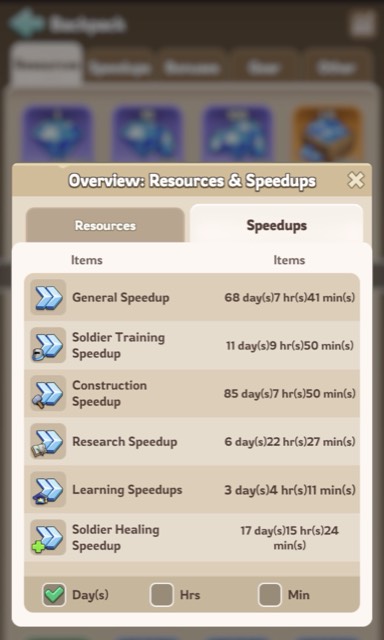
- Open the Backpack and tap the chart icon at the top right.
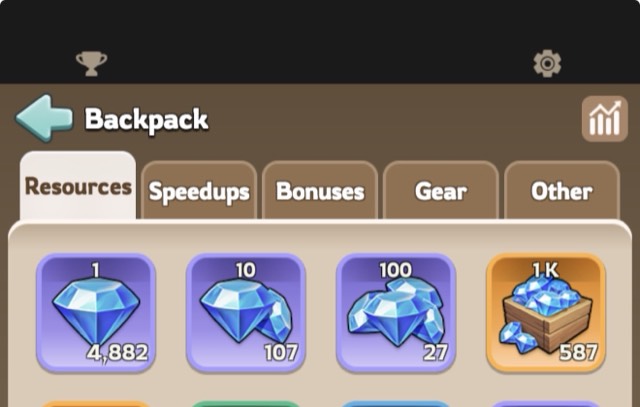
- In the Overview, switch to the Speedups tab and read the four rows.
Your available times
Select all times you can attend, not only your favorite time. More available times give us more options to fit you in.
How appointment times work
Day 3 uses signup order, not resources. Other days use the ranking below.
Before a day is confirmed, players without an appointment on an earlier day of this event are considered first. Within each group, planned resources decide the order, limited by reported inventory. Equal scores use signup order. Owner priority settings take precedence. Your preferred time is used if available; otherwise we use another time you selected. Day 3 stays first come, first served. Confirmed and manager-pinned appointments stay in place. After confirmation, open slots use signup order. For resource ranking, 1 Truegold counts as about 1 hour of speedups. Only speedup types usable that day count.
Appointments start at :15 and :45 UTC. Day 1 also has a 23:45 slot the evening before. Wait until 00:00 UTC to spend Day 1 items.
The King is unavailable to assign appointments at times marked Unavailable. These times cannot be selected.
In every grid below, the first time on a row is where you are and the second is UTC, the game clock.
Where you are is not a whole hour from UTC, so each row below is the game clock and each time you can select carries its own local time.
Review and submit
Check your details and days, then submit. Use Back to make changes.
Your signup is saved. Use your Player ID to change it from any device.
Apply in game for before your slot: Events, Castle Battle, King Perks, Appointment. If you miss it, the King can still place you.
Apply in game for five minutes before your slot: Events, Castle Battle, King Perks, Appointment.
Once the schedule for a day is confirmed you keep your slot as long as it stays selected. If you deselect it, you give it up and get whatever is left.