GEN 3
Spenders



Infantry / Cavalry / Archer

KINGDOM 1904 / GEN 3
Save your marches before Bear. Pick a preset, join a rally, repeat.
FOR RALLY JOINERS
Put one of these heroes in the first hero slot. Use that hero's preset whenever you join. Any four different preset numbers work. The numbers below are examples.
 Chenko
 Amane
Amane Yeonwoo
 HildeSituational
Hilde is situational. Her buffs help, but are weaker for Bear than Chenko, Amane and Yeonwoo. Use those three first.
One hero is enough if your march can reach the join cap. Add a second or third hero only if you need more capacity. Keep the correct joiner hero first.
EXAMPLE / 95,000 JOIN CAP
The join cap is the most troops each joiner should send. It leaves room for more players.
Total: 95,000 troops
Split your archers across the marches you can send at the same time. For example, divide by 6 if you have six marches.
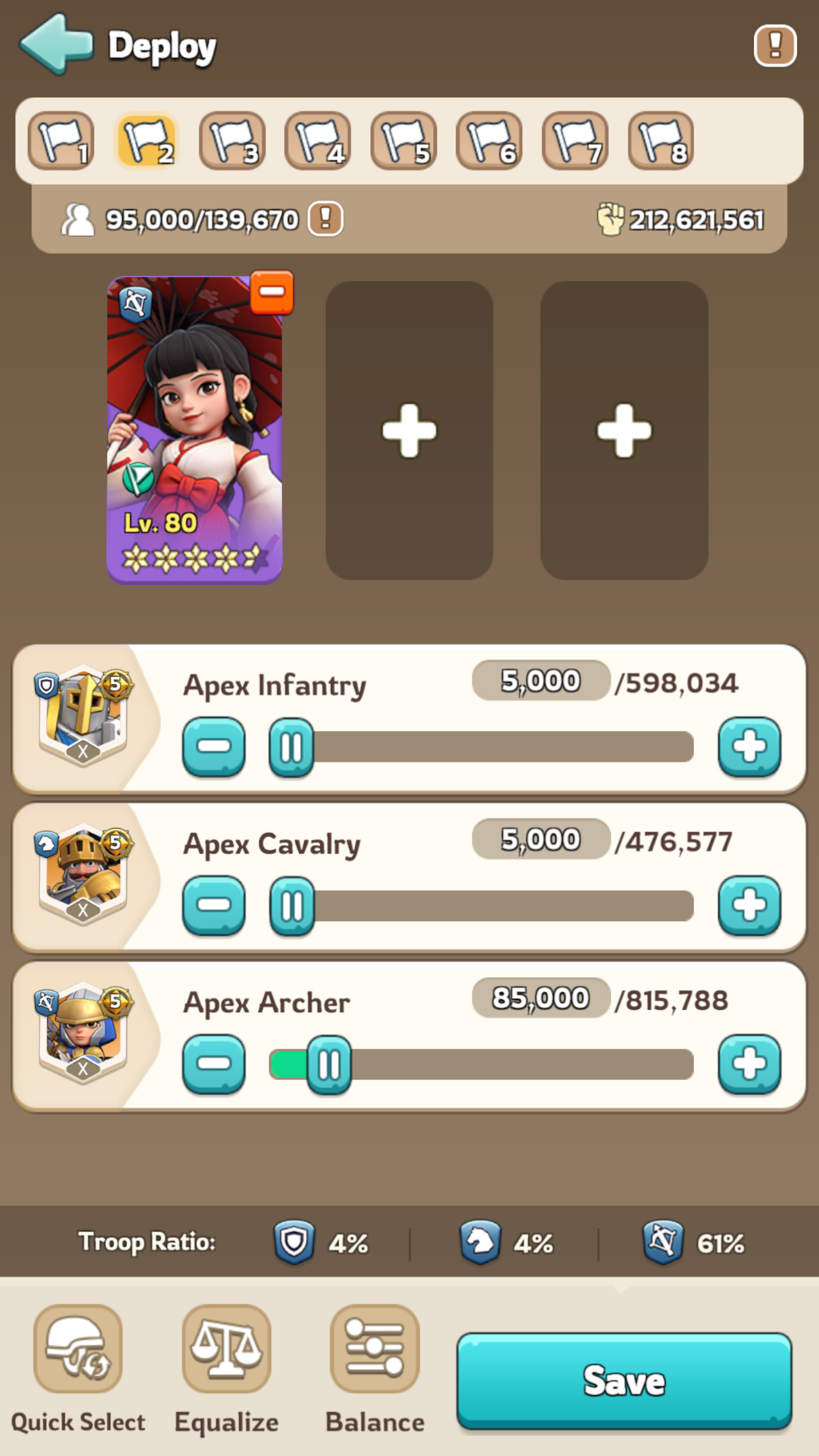
For each march, add 5,000 infantry, your share of archers, then enough cavalry to reach the join cap. If you have plenty of archers, use the 5,000 / 5,000 / 85,000 example above.
Example: 300,000 archers across six marches gives 50,000 archers per march. At a 95K cap, send 5,000 infantry, 40,000 cavalry and 50,000 archers.
Keep your marches joining rallies instead of leaving most of them idle. Count your own rally too if you are leading one.
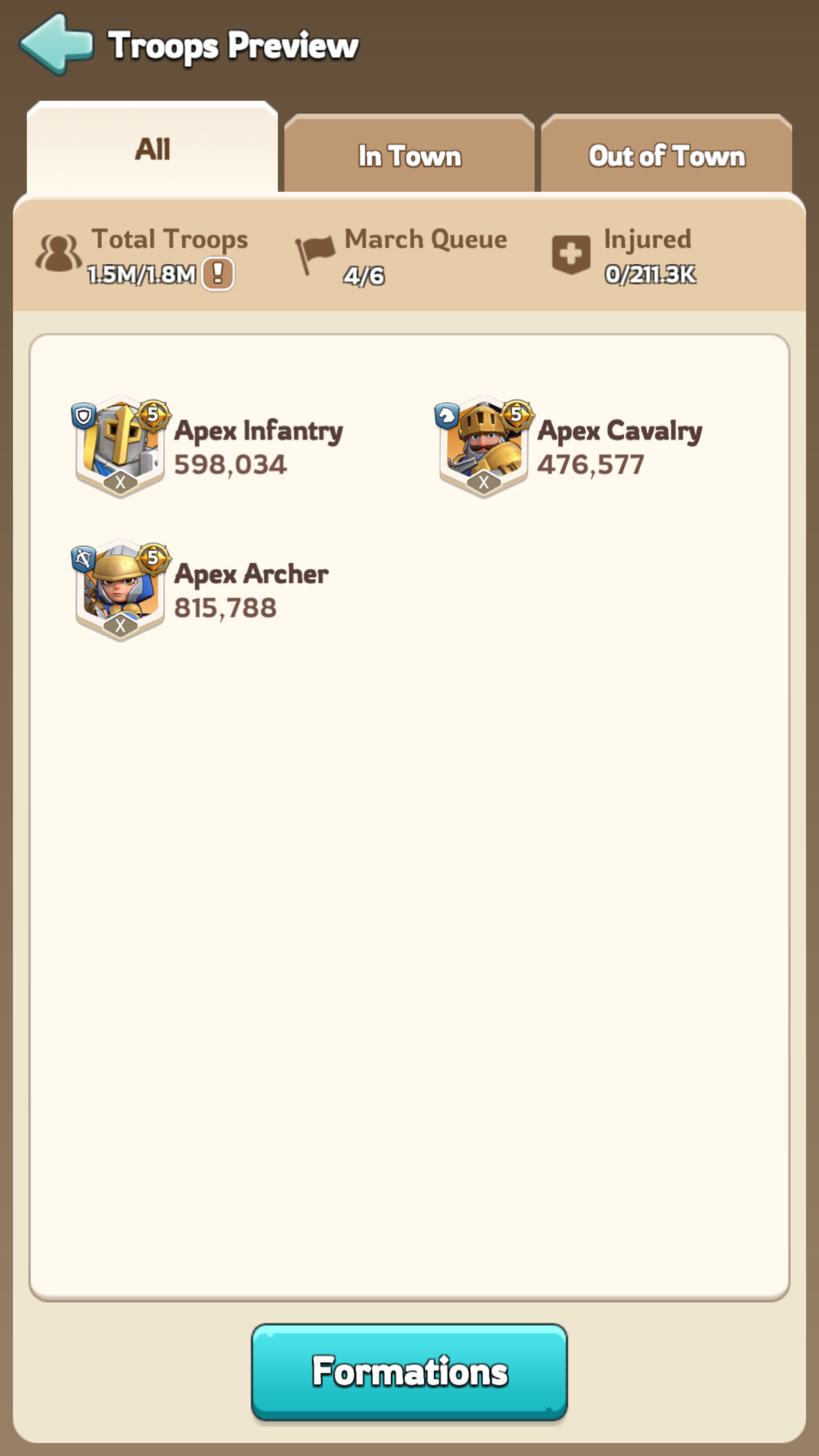
Tap your profile picture, choose Squad, then Formations. Or tap empty ground, choose Occupy, and prepare a march without sending it.
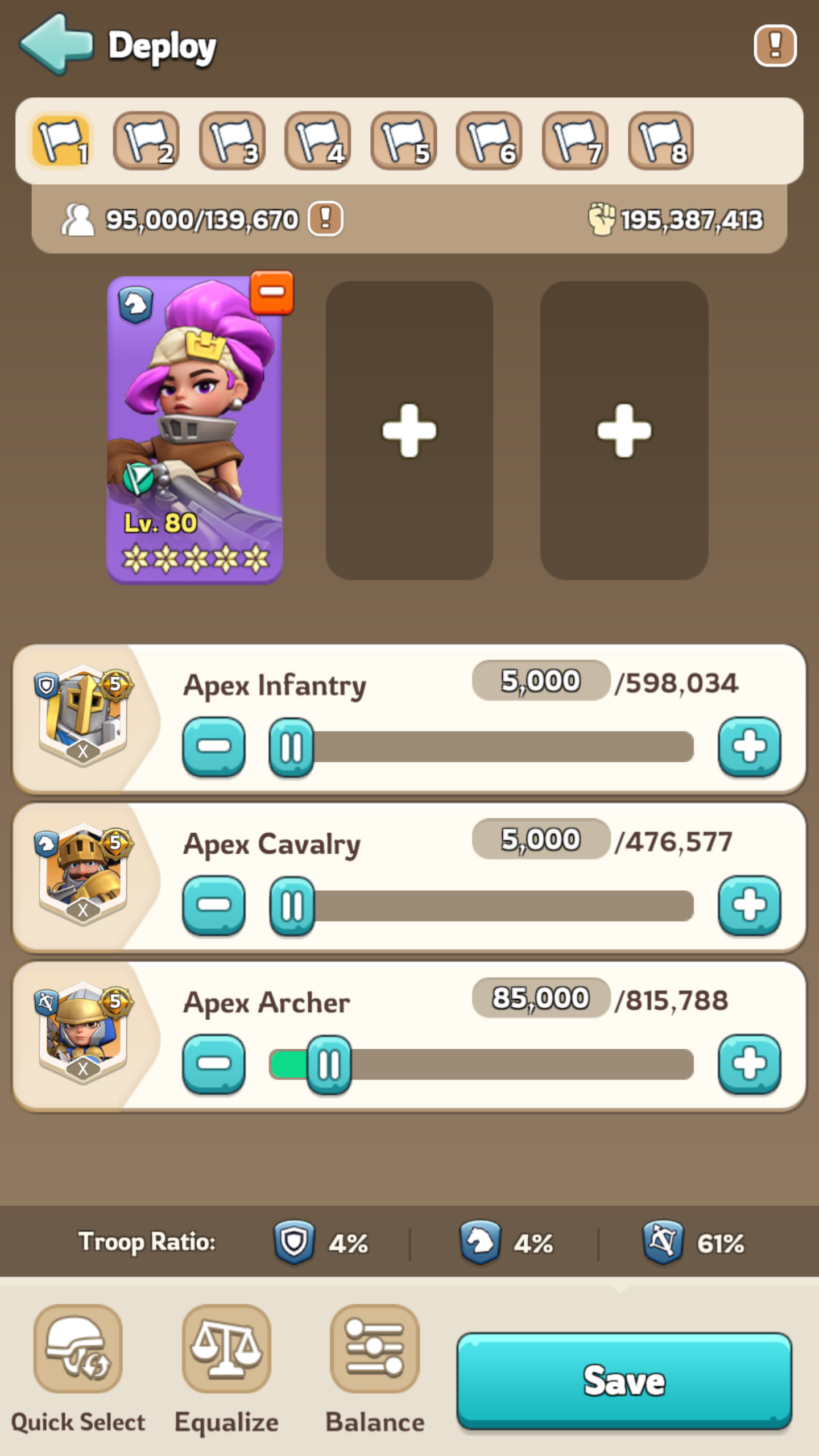
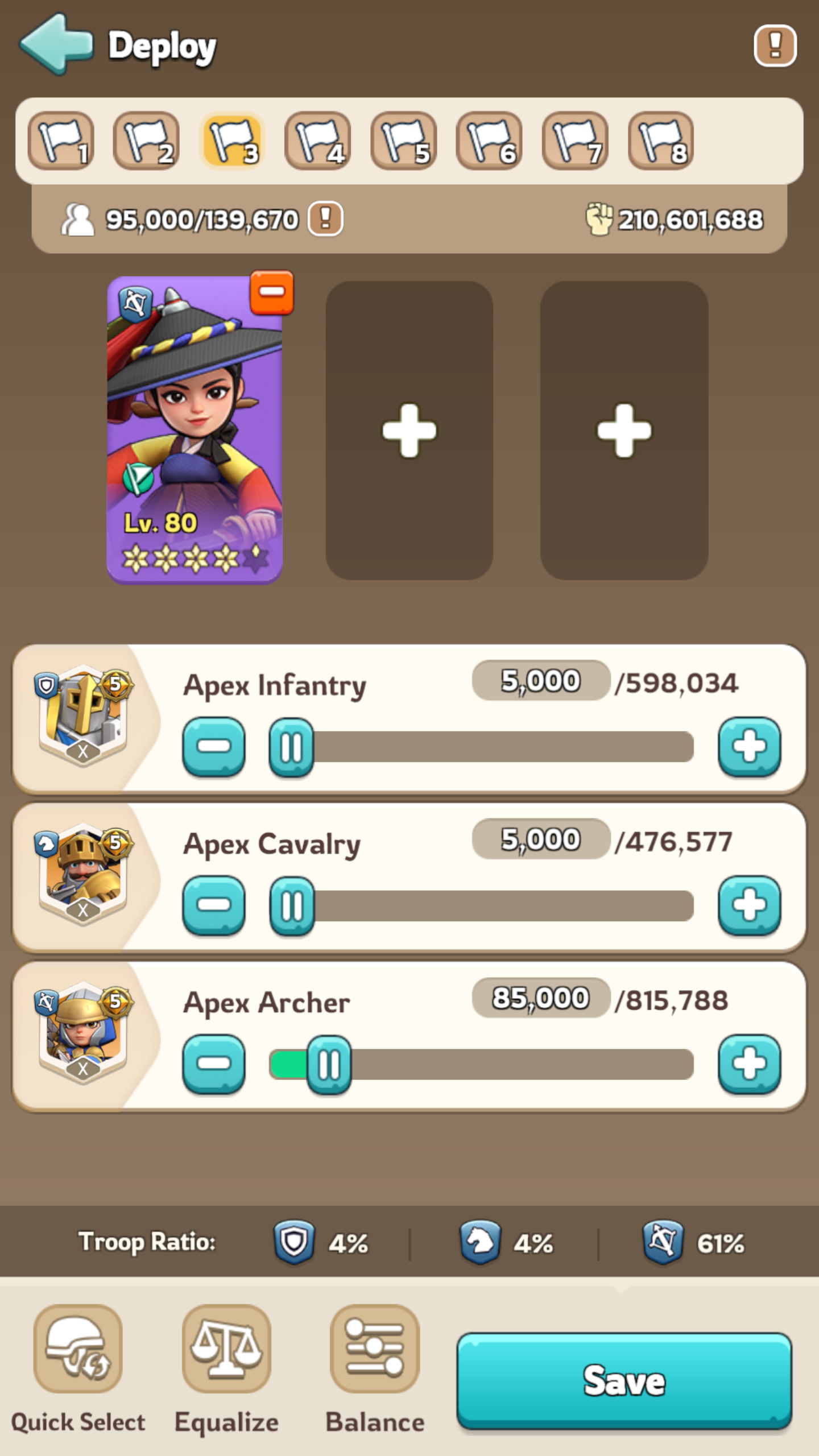
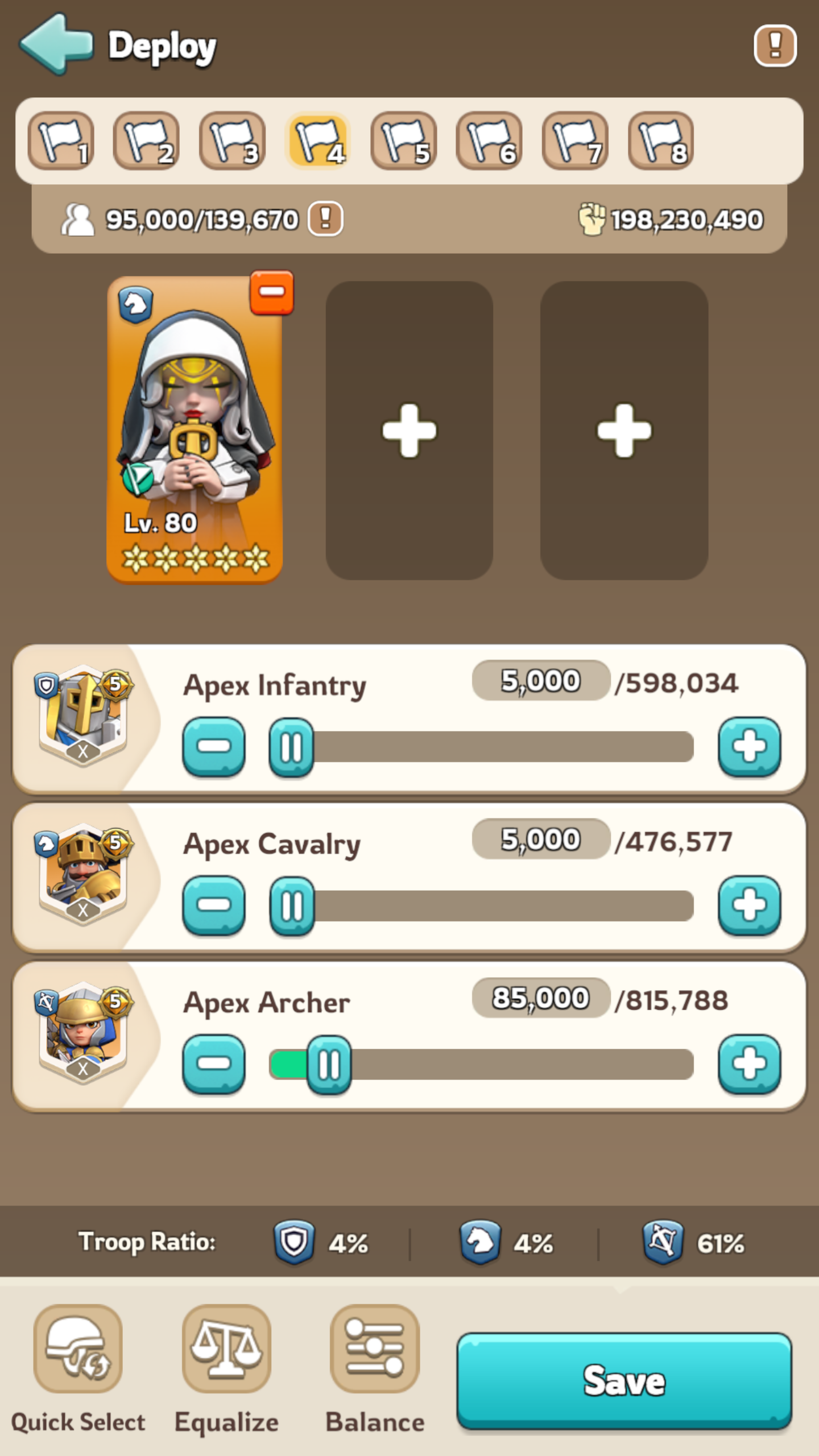
Remove the current heroes with their minus buttons. Tap the first slot, select Chenko, tap Assign, then close the hero picker. Tap each troop number and enter 5,000 infantry, 5,000 cavalry and 85,000 archers for this example. Choose the hero first: changing heroes resets the troop counts.
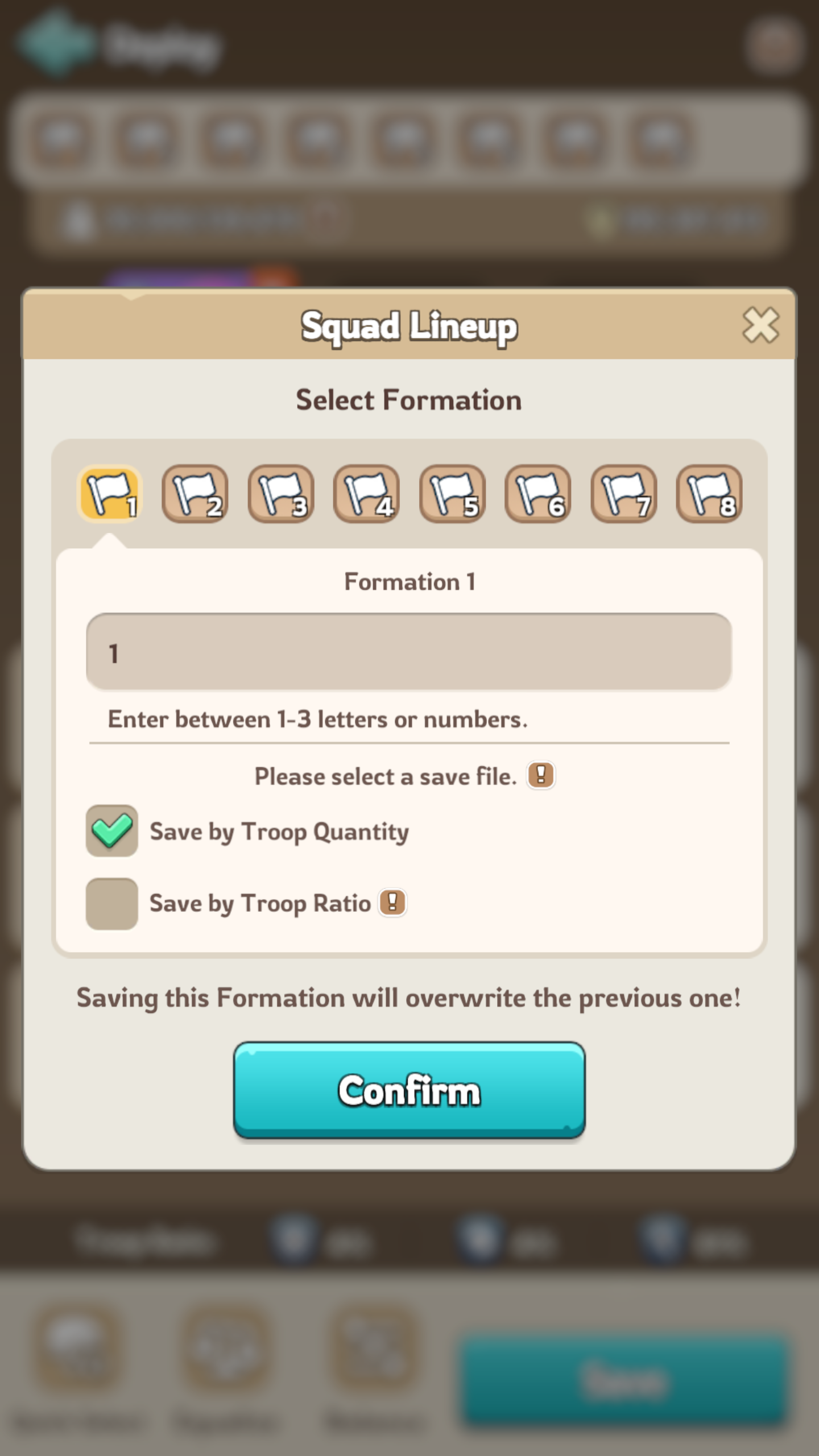
Tap Save, choose any preset number, keep Save by Troop Quantity selected, then tap Confirm. This replaces the previous formation in that slot.
Repeat for Amane and Yeonwoo, then save Hilde as a situational fourth option, using the same troop counts. Use a different slot for each hero so all four stay saved. We use slots 1, 2, 3 and 4 in this example.
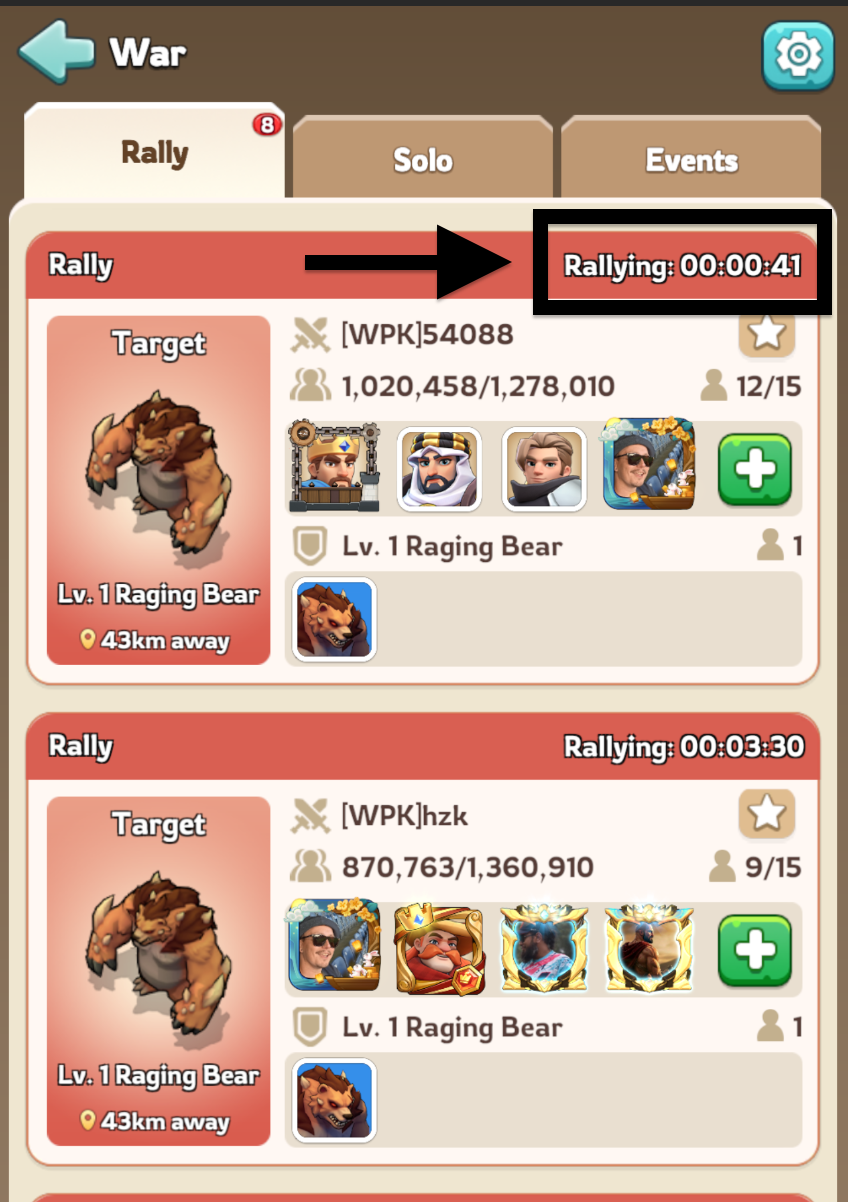
Open a rally and tap an available preset’s numbered flag at the top. Check the first hero and troop total before joining. Use these presets every time.
FOR RALLY LEADERS
Lead with all three heroes and your full deployment capacity. The joiner cap above applies to players joining your rally.
GEN 3
Infantry / Cavalry / Archer
GEN 3


Infantry / Cavalry / Archer

Or use Jaeger instead of Quinn.
Gen 3 teams from the Kingshot Wiki. See the 1904 hero timeline for generation dates.
Recheck once after each KvK, or after a big upgrade to your heroes or gear. The best ratio depends on your stats.
TEX'S PRESET 6
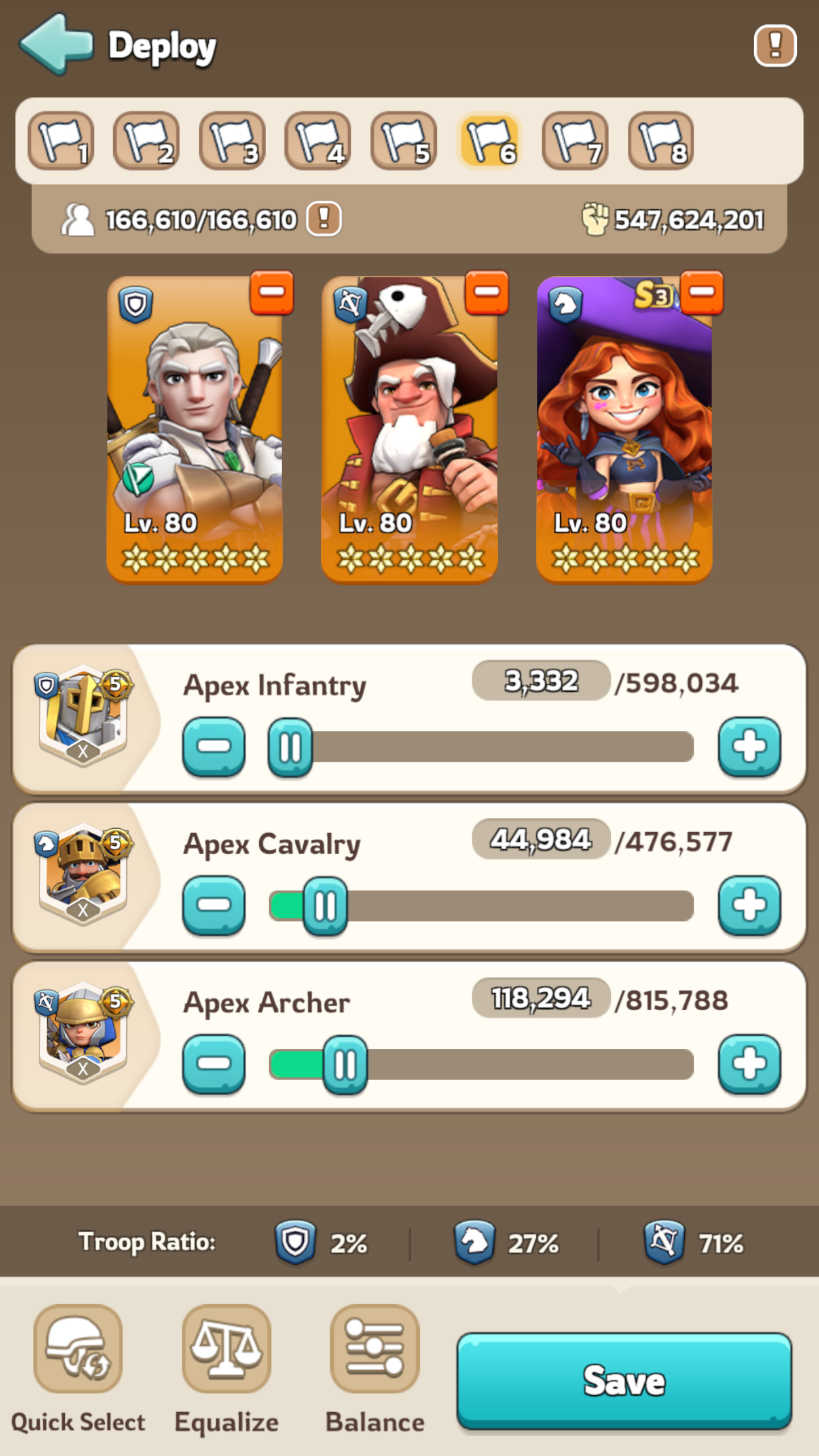
Amadeus, Marlin and Petra fill a 166,610-troop march. The Troop Ratio row near the bottom shows:
This is Tex's setup. Use the calculator to find your own ratio.
Adjust your troop counts until the percentages match your result and the march is full. When saving a leader preset, choose Save by Troop Ratio to keep those proportions as your capacity changes.
JOINER HERO REFERENCE
This chart is for joining rallies. A good rally leader can still be the wrong first hero for a joiner.
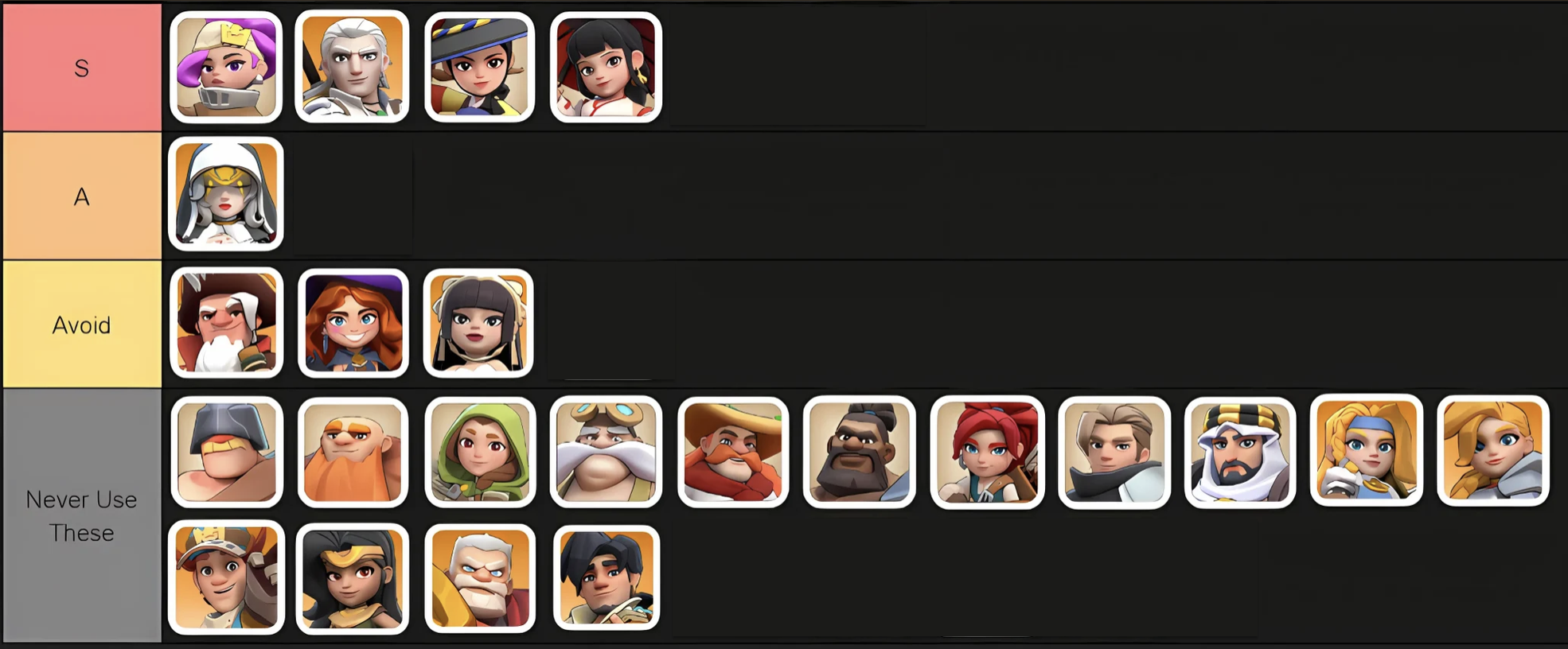
Tap the chart to enlarge it. Use the four presets above for this setup.
DURING BEAR HUNT
Always join the rally with the lowest time remaining.
Skipping rallies hurts your own score and the alliance's score.